Summary
- The project is a web application that teaches students computer science through a curriculum. It is divided into multiple chapters/topics, and each of them has a level-grade assigned to it.
- The implementation uses Google Sheets to store the lesson and exercise data. The data on the sheets is managed by automated processes written in Google Apps Script.
- The application interfaces with the database through Apps Script, which can
POSTdata or generate and store JSON.- Another option is to use
Postman, which has all the APIs for the database.- However, it is recommended to use the first method for testing which keeps the database and the sheets in sync.
Project Development/Production Website
See Codebase.
Shared Files
Important
All files below are shared with ryanvu58.work@gmail.com.
About the curriculum
| Chapter | Level-Grade |
|---|---|
| Intro to Python (76) | G0 |
| Data Types (85) | G1 |
| Variables (312) | G2 |
| If (242) | G3 |
| While Loops (165) | G4 |
| Debugging 1 (89) | G5 |
| For Loops (263) | G6 |
| Strings (509) | G7 |
| Functions (392) | G8 |
| Lists (445) | H0 |
| Tuples (339) | H1 |
| Sets (345) | H2 |
| Dictionaries (374) | H3 |
| Files (181) | H4 |
| Classes (324) | H5 |
| Adv For Loops (239) | I0 |
| Modules (164) | I1 |
| Exception (274) | I2 |
| Recursive Functions (170) | I3 |
| List/ Set/ Dictionary Comprehension (315) | I4 |
| Debugging 2 (168) | I5 |
CSEducation
📙 Lesson
Lesson
Lesson ID
Decoding
Lesson: G0001-1
G0: Level-Grade001: Story- -
1: Order [OPTIONAL]Definition/Decoding:
- Chapter: Intro to Python
- Story: 1
- Order: 1
Data Schema
Ref: Sheet: Python Implementation
{
    "_id": INT,
    "level": ENUM,
    "difficulty": INT,
    "story": INT,
    "order": INT,
    "exerciseType": "lesson",
    "language": "python",
    "chapter": VARCHAR,
    "lesson": VARCHAR,
    "sublesson": VARCHAR,
    "instructions": [
	    {
            "line": INT,
            "content": [
                {
                    "type": ENUM,
                    "payload": [],
                    "payloadType": ENUM
                }
            ]
        }
    ]
}
Key definitions
🔑 _id: see Lesson ID🔑 level: (G|H|I)🔑 difficulty:
- For level
G: 0 - 8- For level
H: 0 - 5- For level
I: 0 - 5🔑 chapter: see About the curriculum🔑 lesson: top-level header/associated header to lesson. See Doc: 1. Intro to Python- 🔑
sublesson: direct header associated to sublesson. See Doc: 1. Intro to Python🔑 instructions.line:🔑 instructions.content.type:
instructions: renders markdown payload only using<p>tagslistExplanation: renders list itemscodeAreaTitle: renders code snippet with title: “Code:”codeArea: renders code snippetoutputAreaTitle: renders output snippet with title: “Output:”🔑 instrutions.content.payloadType:
markdown(default renderer)html
Payload types
instructions
Lesson Data
_id: ryan1order: 0story: 1lesson: Why Python?sublesson:line: 1payloadType: markdowntype: instructionspayload: Python is a great first coding language to learn because compared to other languages, Python is:

[
	{
		"type": "instructions",
		"payload": [
			"Python is a great first coding language to learn because compared to other languages, Python is:"
		],
		"payloadType": "markdown"
	}
]
listExplanation
Lesson Data
_id: ryan1order: 0story: 1lesson: Why Python?sublesson:line: 1payloadType: markdowntype: listExplanationpayload: Simpler to read

[
	{
		"type": "listExplanation",
		"payload": [
			"Simpler to read"
		],
		"payloadType": "markdown"
	}
]
codeAreaTitle
Lesson Data
_id: ryan1order: 0story: 1lesson: Why Python?sublesson:line: 1payloadType: markdowntype: codeAreaTitlepayload: print(“Any job in the future will have a computer involved in the work”)
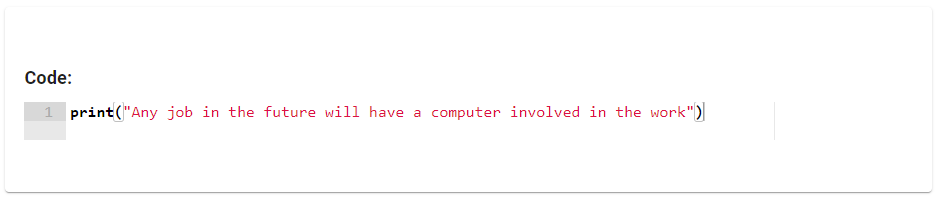
[
	{
		"type": "codeAreaTitle",
		"payload": {
			"code": "print(\"Any job in the future will have a computer involved in the work\")",
			"mode": "python"
		},
		"payloadType": "markdown"
	}
]
codeArea
Lesson Data
_id: ryan1order: 0story: 1lesson: Why Python?sublesson:line: 1payloadType: markdowntype: codeAreapayload: print(“I am excited to learn Python”)
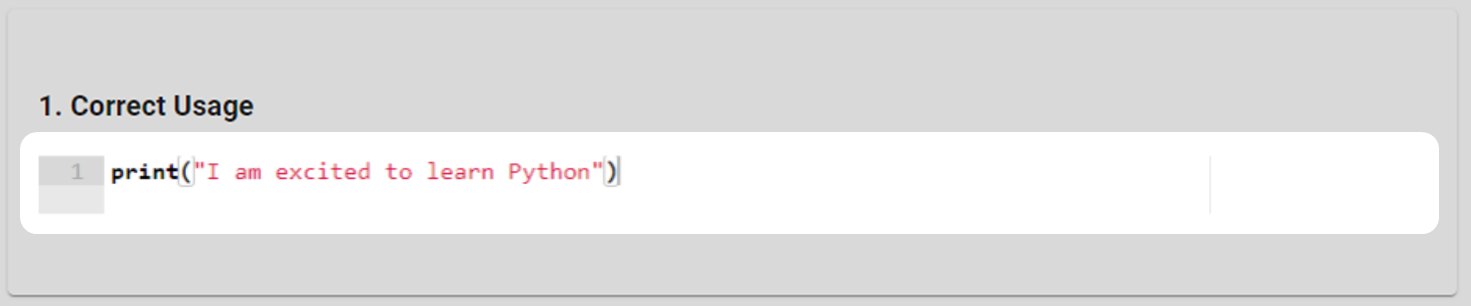
[
	{
		"type": "instructions",
		"payload": [
			"**2. Incorrect Usage**"
		],
		"payloadType": "markdown"
	},
	{
		"type": "codeArea",
		"payload": {
			"code": "Print(\"I am excited to learn Python\")",
			"mode": "python"
		},
		"payloadType": "markdown"
	}
]
outputAreaTitle
Lesson Data
_id: ryan1order: 0story: 1lesson: Why Python?sublesson:line: 1payloadType: markdowntype: codeAreapayload: Knowledge of Python is an important skill and may improve one’s chance of success.

[
	{
		"type": "outputAreaTitle",
		"payload": {
			"code": "Knowledge of Python is an important skill and may improve one's chance of success.",
			"mode": "python"
		},
		"payloadType": "markdown"
	}
]
Sublesson
Rendering
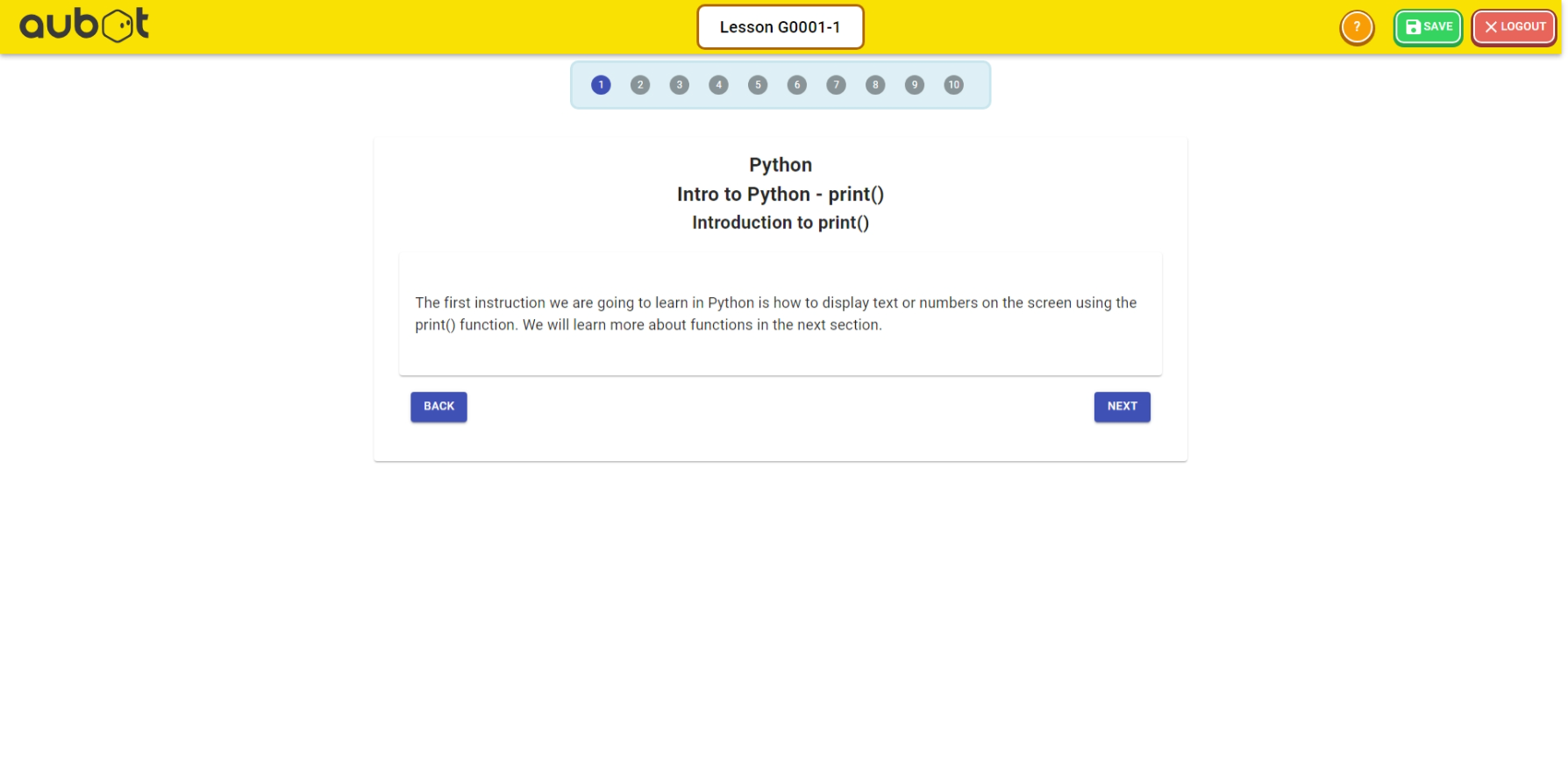
JSON Response
- Endpoint: https://academy.aubot.com/api/lesson/G0001-1
- Method:
GET - Response:
{
    "_id": "G0001-1",
    "level": "G",
    "difficulty": 0,
    "story": 1,
    "order": 1,
    "exerciseType": "lesson",
    "language": "python",
    "chapter": "Intro to Python",
    "lesson": "print()",
    "sublesson": "Introduction to print()",
    "instructions": [
        {
            "line": 1,
            "content": [
                {
                    "type": "instructions",
                    "payload": [
                        "The first instruction we are going to learn in Python is how to display text or numbers on the screen using the print() function. We will learn more about functions in the next section."
                    ],
                    "payloadType": "markdown"
                }
            ]
        }
    ],
    "createdAt": "2023-12-20T09:00:57.303Z",
    "updatedAt": "2023-12-20T09:00:57.303Z",
    "__v": 0
}
APIs
View Lesson
CSEducation
⚙️ API /
- Response:
{lesson}
Post Lesson
CSEducation
⚙️ API /
- Request Body:
{lesson} - Response:
{lesson}
Delete Lesson
CSEducation
⚙️ API /
- Request Body:
{
	"_id": "{lesson_id}"
}- Response:
{lesson}