Summary
Give edit permission by running
Permissions.gsto unprotect all sheets of current spreadsheet. The grading process appends some data in certain order, which is necessary to evaluate student’s answer.
Unlocking/Unprotecting Sheets
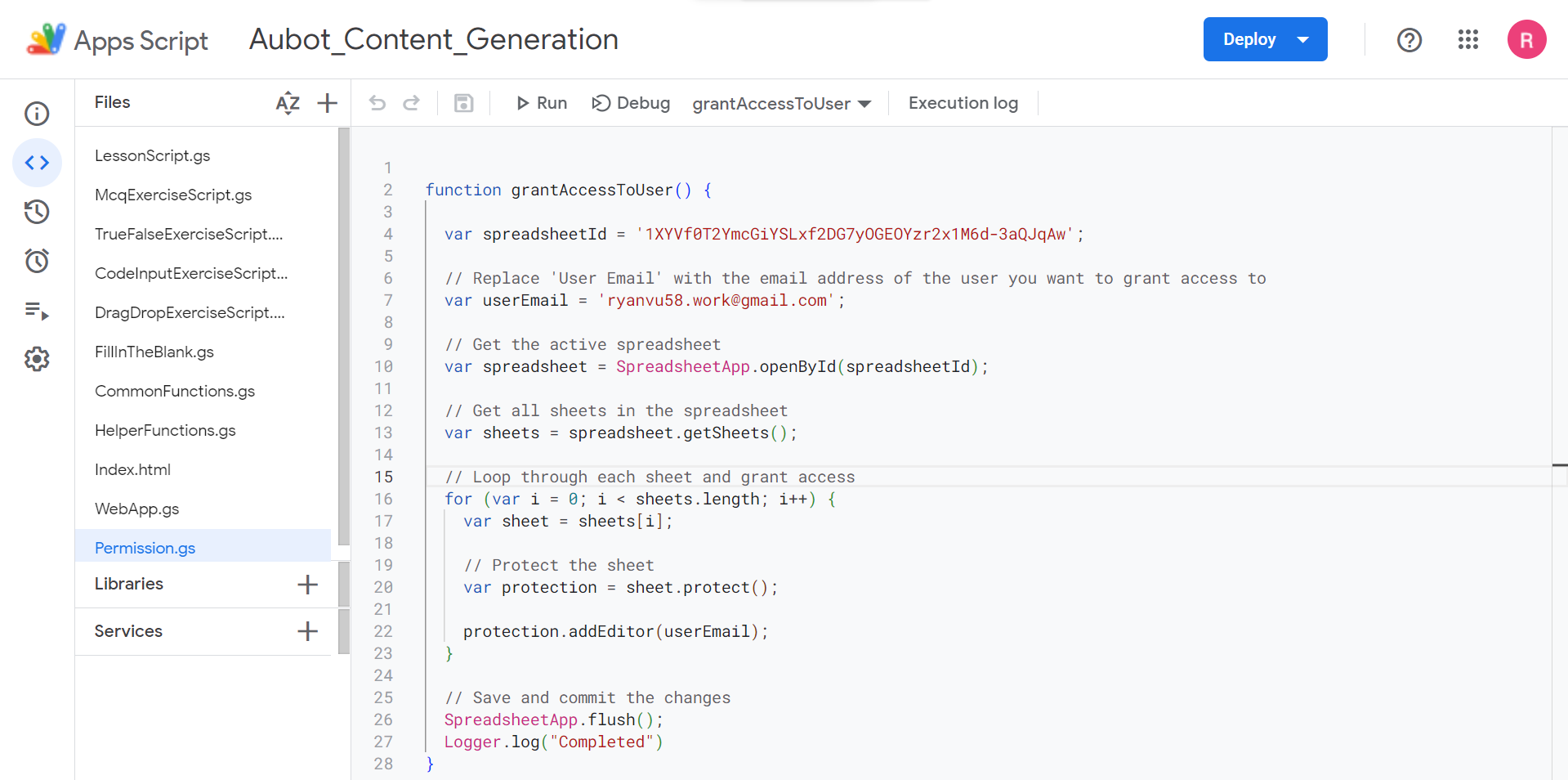
Sheets are protected to prevent accidental/unwanted changes. To unprotect sheets for editing:
- Open
Extensionstab, and click onApps Script - Navigate to
Permissions.gs, and updateuserEmailvalue - Click
Run
Notes for Grading Code Input exercises: method insert
{
    "_id": "G2114",
    "expected_output": null,
    "expected_answer": [
        "name, gender, age, birthday = \"Evelyn\", \"female\", 31, \"03\""
    ],
    "stdin": null,
    "data": [
        "",
        "\nassert name == 'Evelyn'\nassert gender == 'female'\nassert age == 31\nassert birthday == '03'"
    ],
    "language_id": 71,
    "method": "insert",
}
Once student clicks Run, their answer is sent to the server for grading. The data is appended in the following order for the process.
data[0]- student answer
expected-answerdata[1]
The submission process occurs after the grading completes and student clicks Submit.
Fixing Grading Bugs attempts
G2302
Description
- Bug Scenario/Explanation: This question doesn’t not seem to have grading done. Postman returns nothing
- Found by: matthew
- Date found: 14/11
- Ref: https://academy.aubot.com/exercise/G2302
Important
Not possible to implement due to unsupported feature: inputs
{
    "_id": "G2302",
    "method": "insert",
    "language_id": 71,
    "expected_output": null,
    "expected_answer": [
        "u = input(\"Username: \")\np = input(\"Password: \")"
    ],
    "expected_answer_contains": [
        {
            "u": "The answer is missing an expected variable.",
            "p": "The answer is missing an expected variable.",
            "input": "The answer is missing an expected keyword."
        }
    ],
    "stdin": "my username\\nmy password",
    "data": [
        "",
        "assert u == 'my username'\nassert p == 'my password'"
    ]
}